Distribute payments
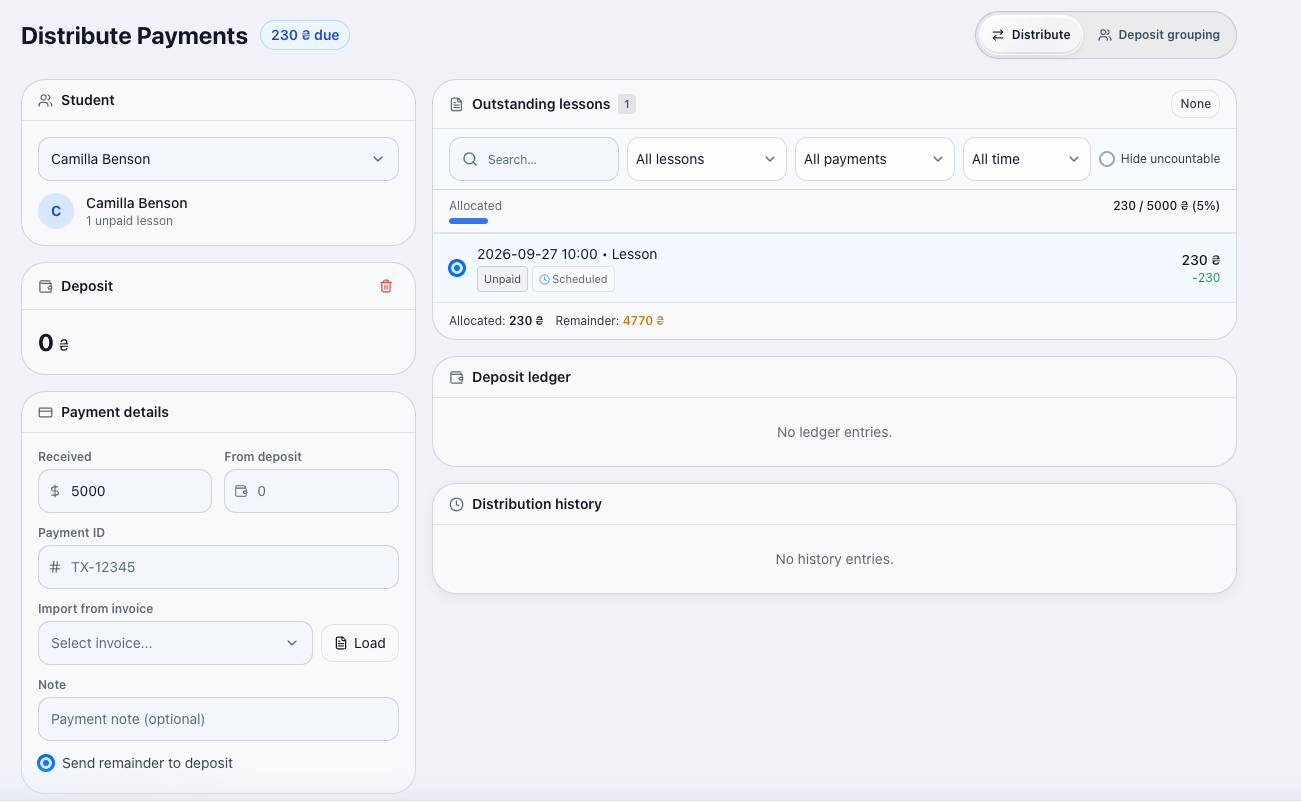
Use Payments → Distribute when one receipt covers multiple lessons. The tool helps map a received amount to the records it pays.
- Select the student or source payment and review the amount available.
- Choose the unpaid or partially paid lesson records to include.
- Review the amount assigned to each record and any remaining balance.
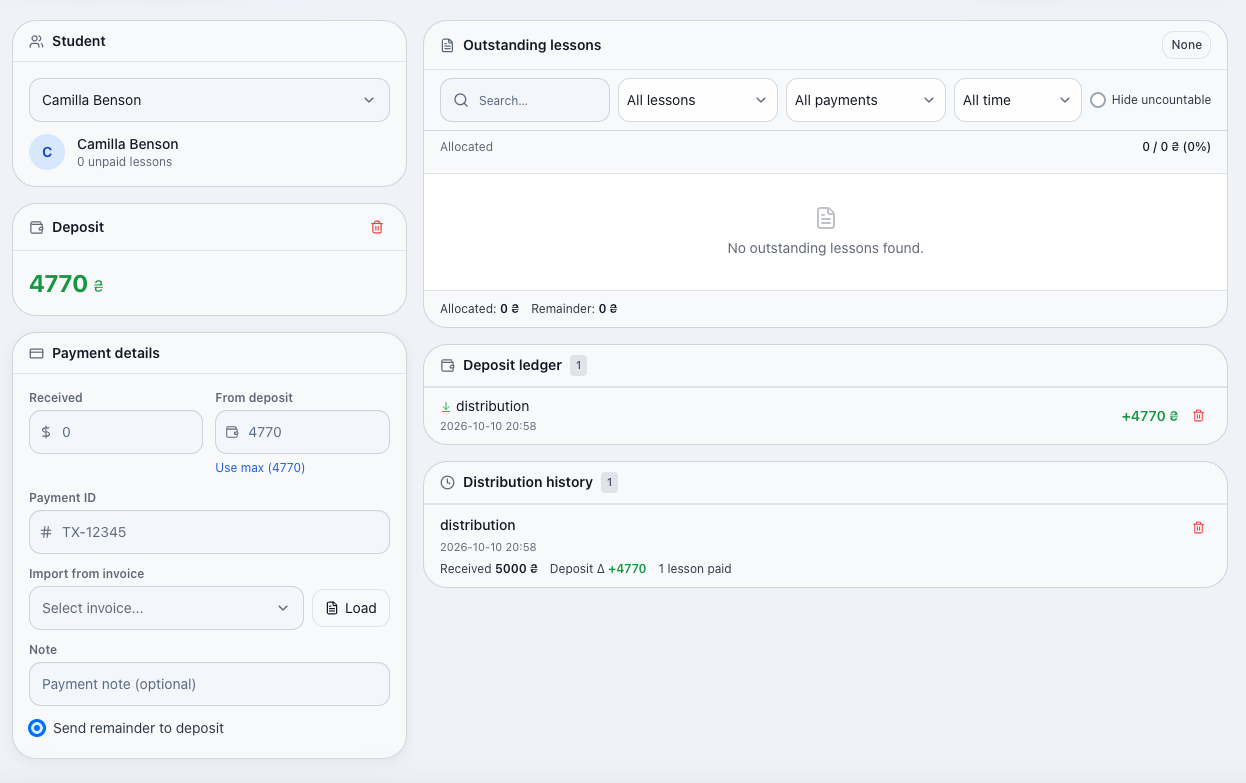
- Save the distribution only when the allocations match your receipt.
- Reopen the payment and lesson details to confirm their statuses and balances.
For a group lesson, check attendance and each student’s share before allocating. If the source payment is not visible, clear filters and check the active workspace, student, date range, and payment status.