Homework library
Open Library → Homework to save reusable instructions, links, and task structures. A library item is a template; assigning it creates or links work for a particular learner.
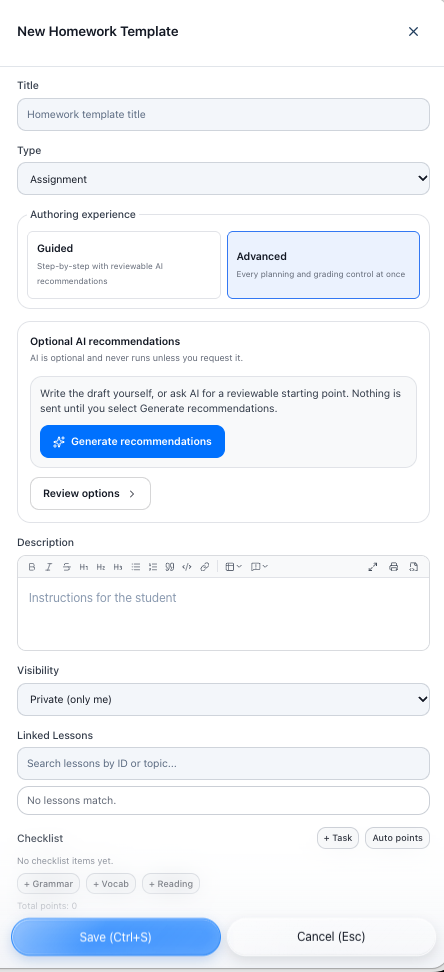
Create a homework template
- Choose Add and give the template a clear name.
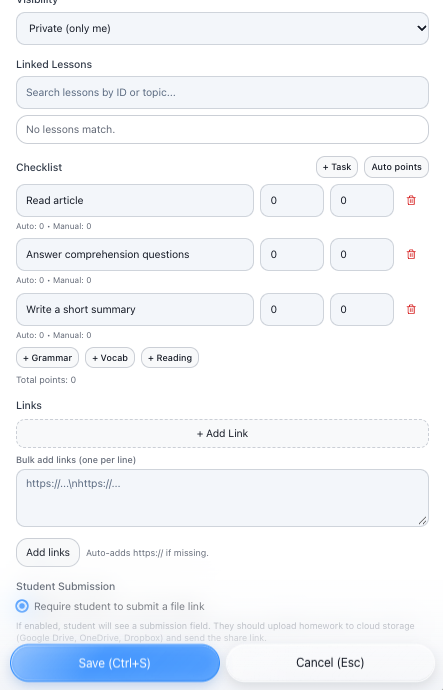
- Add student-facing instructions, links, task items, and any reusable files.
- Save the template and open its preview.
- Remove dates or student-specific wording that should not carry over to every use.
Assign from the library
Open the student task flow, select the library item, then choose the target student or group. Set the assigned and due dates and check every attachment. Save the task, then confirm it appears in the Tasks list.
Keep shared materials current
When a template changes, review active assignments separately. Updating a library source does not necessarily rewrite tasks already sent to students.