Certificates and issuance
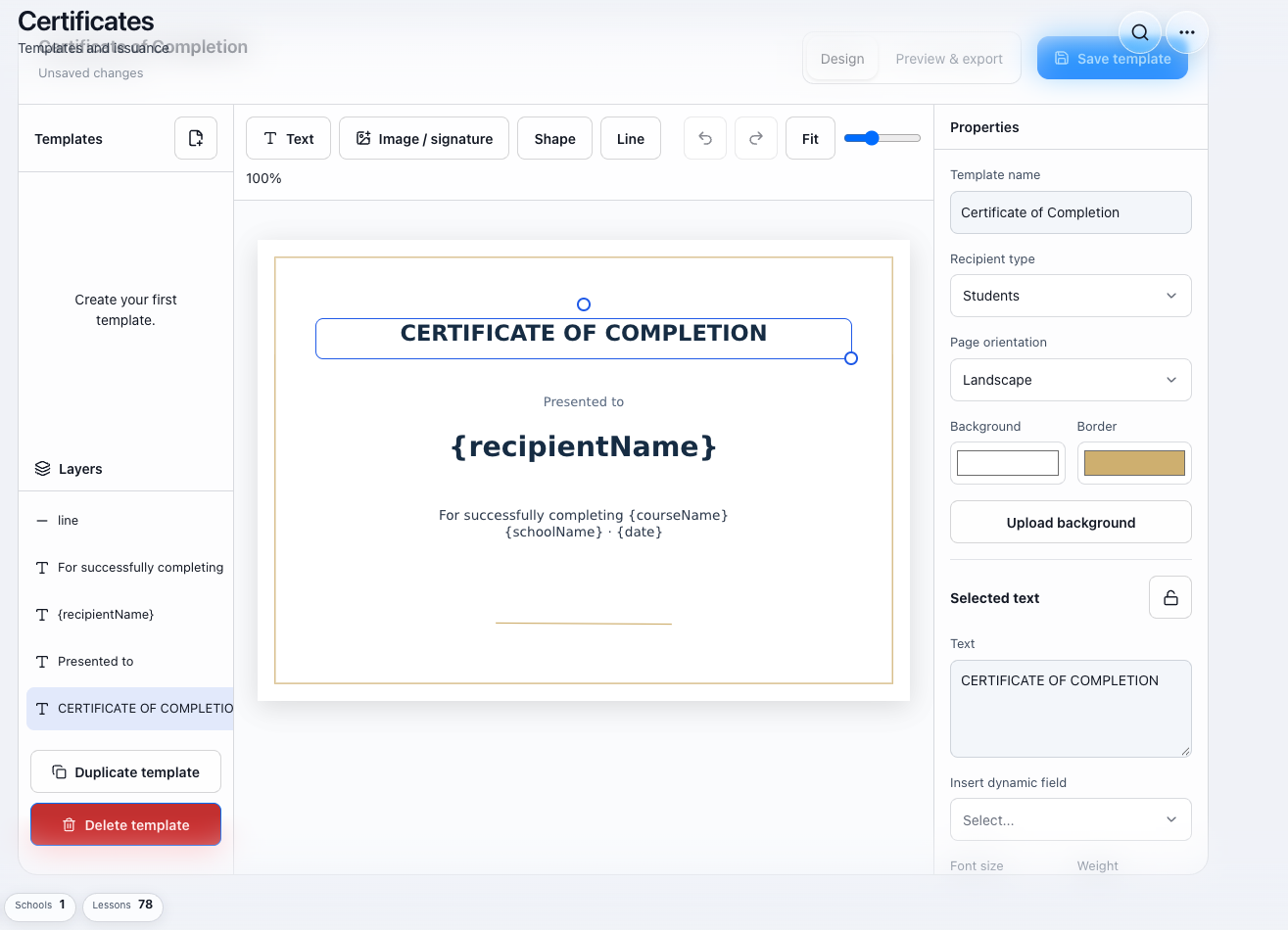
Open Administration → Certificates to manage templates and issuance. Templates can be designed for student or teacher recipients, with portrait or landscape layout, background, border, and merge fields.
Create a certificate template
- Add a template and enter its name.
- Choose the recipient type and page orientation.
- Add text, student/teacher fields, and any approved background artwork.
- Preview the layout using a sample recipient with a long name.
- Save the template.
Issue a certificate
Select a template and recipient, verify the name and award details, then generate the certificate. Confirm the issued document is recorded in the correct student or staff history. Follow school policy before recording an official issuance.