School communications and calendar
Open Administration → Communications for school announcements, academic events, departments, and related analytics where enabled. Use Feed for posts managed within a teacher’s audience.
Publish an announcement
Choose Add announcement, enter the message and priority, then choose its audience and any teacher/campus targeting. Preview the message and confirm the dates before publishing. Broad school announcements should not include private student records.
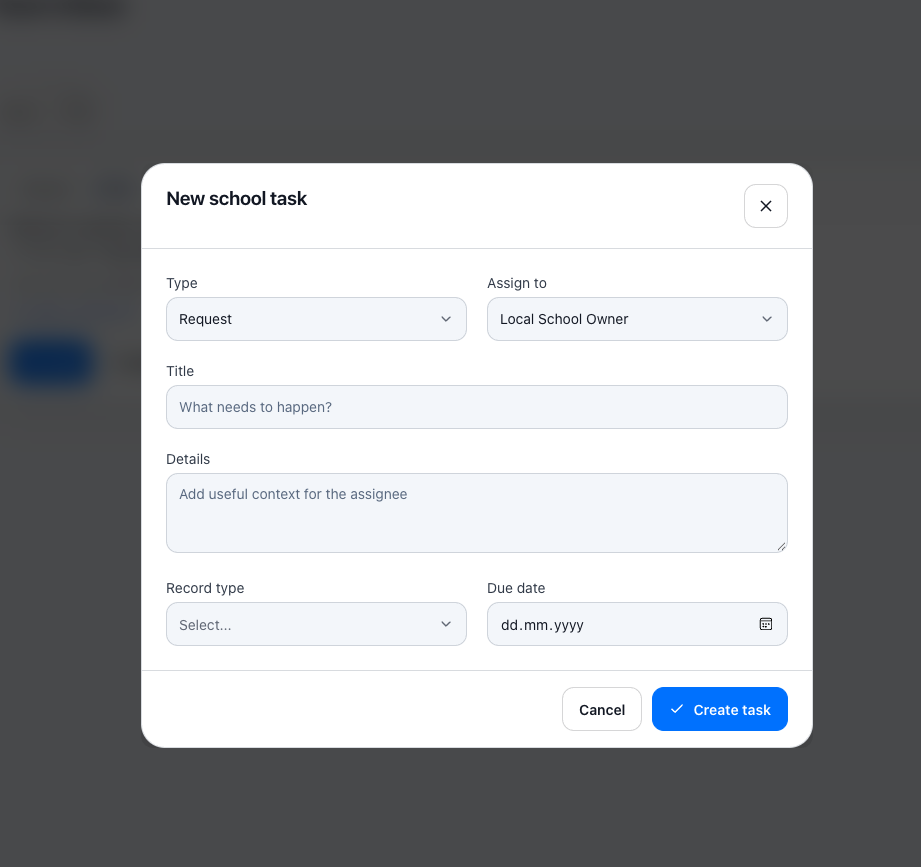
Create and assign a school task
Use the school task action to assign follow-up work to a staff member. Add a clear title and due date, select the responsible person, and review the assignment before saving. Keep task details limited to what the assigned staff member needs to act.
Add an academic event
Enter the event name, start and end dates, event type, and color. Check the school calendar after saving and confirm the intended audience understands whether lessons are affected.
Manage departments
Create or edit a department and select its lead where available. Confirm the staff member is linked to the correct department after saving.
Review activity
Use announcement/calendar analytics to inspect delivery and engagement. Open the audit log when you need the record of who changed the configuration.