Roles and access
Open Administration → Roles & Access to review role presets, permissions, and campus scope. Only an authorized owner or administrator can change school access policies.
Choose a role
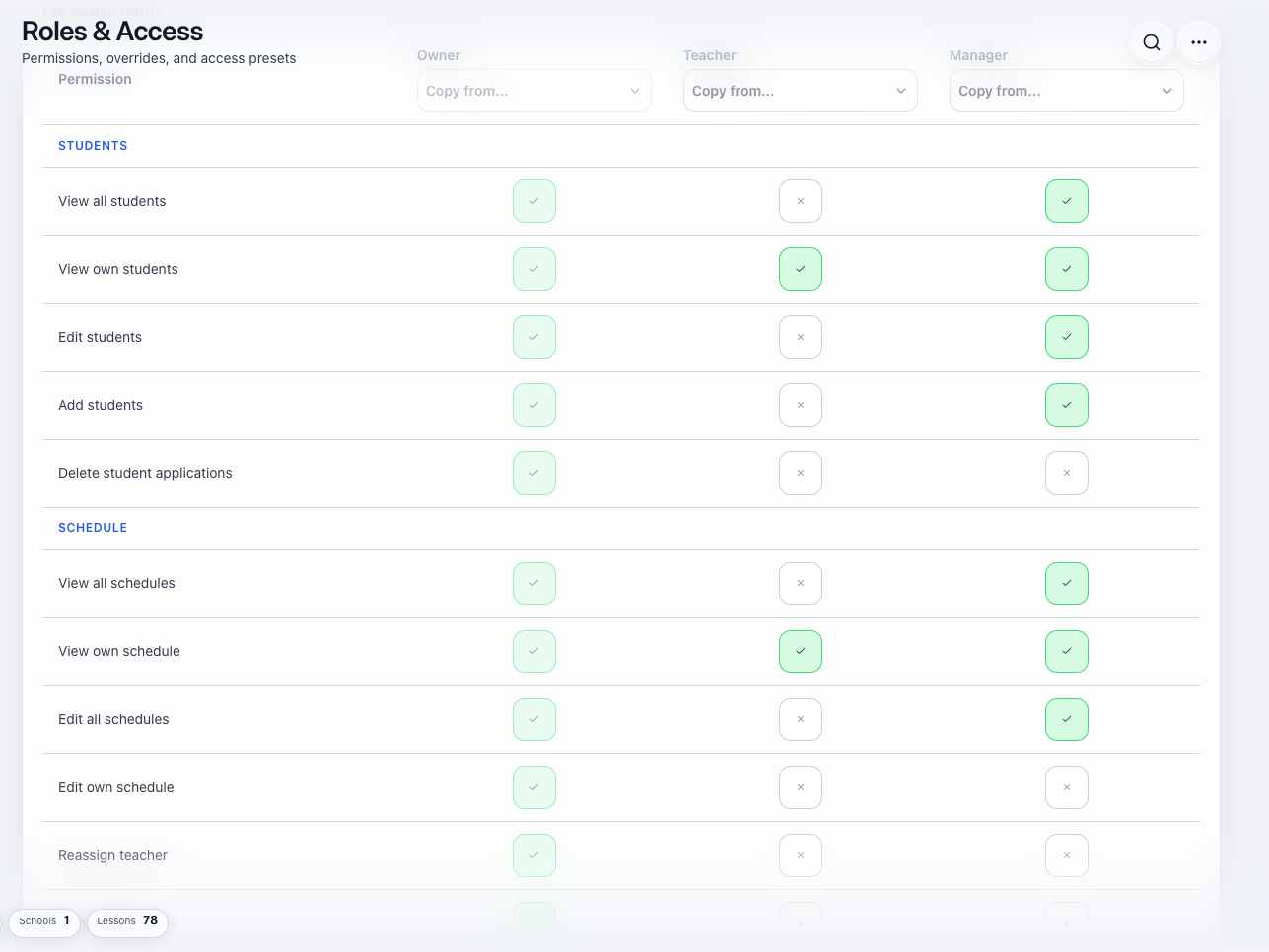
Select a role whose preset matches the staff member’s duties. Review its permissions for students, schedule, homework, grading, finance, reporting, administration, and communications. Use a narrower custom permission set only when the school has a clear need.
Set campus access
Keep a member at school-wide scope only when their responsibilities require it. Otherwise select the campuses they serve. Campus scope filters access to the applicable resources; it does not replace the feature permission itself.
Save and verify
Review the change summary before saving. Confirm the role and scope on the membership row. Ask the staff member to reload and verify that the intended page and action are available. Remove access promptly when a membership ends.
TutPro enforces permissions in the UI and at the server. Do not rely on hiding a navigation item as the security boundary.